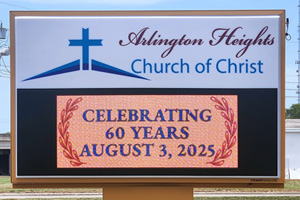
Churches across the country are rethinking how they communicate with their congregations and surrounding neighborhoods. From service time updates to last-minute schedule changes, the need for timely, clear messaging has never been greater. LED Sign Software is one of the most effective tools your church can use to stay connected and visible.
Stewart LED signs help churches create, schedule, and manage sign content through cloud-based SignCommand software. This guide walks you through everything you need to know about church LED sign software, from core features and staff training to managing content across multiple ministries.
Key Takeaways: Church LED Sign Software in 2026
Church LED sign software lets you schedule, edit, and publish messages remotely from any device with a browser.
Cloud-based sign software removes the need for on-site updates, saving your staff and volunteers valuable time each week.
Training church staff on LED sign software takes minimal effort using online tutorials.
Stewart Signs includes SignCommand software with every LED sign, giving your church a ready-to-use content management system.
What Is Church LED Sign Software?
Church LED sign software is the application your team uses to create, edit, schedule, and display messages on your outdoor or indoor LED sign. It connects to your sign's hardware and lets you control what appears on the display from a computer, tablet, or smartphone.
Most modern sign software runs in a web browser, which means there's no separate program to install or maintain. You log in, build your message, set a schedule, and publish. The software handles the rest, sending your content to the sign over a secure connection.
For churches, this type of software replaces the manual process of climbing a ladder to swap out letters or driving to the sign location to make changes. It brings your church signs into a digital workflow that matches the pace of modern ministry communication.
Why Does Your Church Need Dedicated Sign Software?
Many churches still rely on printed bulletins, static letter boards, or word-of-mouth to share updates. These methods work for routine announcements, but they fall short when you need to react quickly to weather closures, event changes, or new outreach opportunities.
Dedicated LED sign software gives your church the ability to update messages in real time from any location. A youth pastor can promote a Wednesday night event from home. An office administrator can post holiday service times on Monday morning and schedule them weeks in advance.
According to 2026 research from Barna Group, 95 percent of church leaders agree that technology opens new opportunities for ministry, and 79 percent report that it has improved connection in their congregations. LED sign software fits squarely into this shift, giving your church a practical tool for consistent, visible outreach.
Core Features to Look for in Church LED Sign Software
Not every sign software works the same way. When evaluating options for your church, focus on features that directly support how your team communicates. The following capabilities matter most for ministry-focused organizations.
Message Scheduling and Automation
Scheduling is the foundation of effective sign management. Your software should let you set messages to appear on specific dates and times, down to the minute. This means you can build a full week or month of content in one session and trust that the right message appears at the right time.
Strong scheduling also supports recurring messages. Sunday service times, weekly Bible study reminders, and monthly community meal announcements can all rotate automatically without manual updates each week.
Message Creation
Your church staff and volunteers are not graphic designers. The software should include tools that let anyone build professional-looking messages. Choose a font, add text, layer it over an image or animation, and preview the result before publishing.
Stewart Signs includes this type of editing in SignCommand, along with a media library of over 2,800 images and animations optimized for LED displays. This removes the guesswork from content creation and lets your team focus on the message itself.
Pre-Built Templates and Media Libraries
Templates save time and keep your sign looking polished. Look for software that offers pre-designed layouts for common church messages like service times, holiday greetings, event promotions, and welcome messages.
A built-in media library adds another layer of convenience. Instead of searching for images that fit your sign's resolution, you can pull directly from a curated collection designed for LED displays.
Multi-Sign and Multi-Side Control
If your church has more than one sign, or a sign with multiple display sides, your software should let you manage all of them. Send different messages to different signs or push the same content everywhere.
This feature is especially useful for churches with both an outdoor LED sign and an indoor LED display. Your outdoor sign might show service times for passing traffic, while your indoor screen highlights ministry volunteer sign-ups or upcoming events.
Remote Access from Any Device
Cloud-based sign software means you can update your sign from anywhere with an internet connection. This is a major advantage for churches where the person responsible for sign content isn't always on campus.
Your communications director can approve a message from home. A volunteer can make a quick update from a tablet between services. The flexibility of browser-based access keeps your sign current and relevant throughout the week.
Security and Encryption
Your sign's connection to the software should be encrypted and secure. This protects your church from unauthorized message changes and keeps your sign content under your control.
Stewart Signs uses encrypted communication between SignCommand and every connected display. The sign communicates only with secure servers, making it virtually invisible to outside interference. This level of security gives your team confidence that what you publish is what your community sees.
How to Set Up Church LED Sign Software
Getting started with LED sign software is more straightforward than most church leaders expect. Here is a step-by-step walkthrough for a typical setup.
Step 1: Check Your Internet Connection
Your sign needs internet connection to connect to Signcommand.com. Many churches use a , which requires no IP addresses or networking. Just plug in the power, and the sign connects automatically to the cloud.
Step 2: Log In to Your Software Account
Once the sign is connected, open any web browser on your computer, tablet, or phone and sign in. There's no software to download or install.
Step 3: Create Your First Message
For your first message, you can start with a premade graphic from the Media Library or create your own. To create your own message, just add your lines of text, adjust font styles and colors, and preview the result. Once you’re happy with the appearance of your message, send it to your sign.
Step 4: Set Your Schedule
Assign a start date, end date, and display time for your message. If you want the message to repeat on specific days, set up a recurring schedule. You can build your entire first week of content in this step.
Step 5: Publish and Monitor
Hit publish, and your message goes live on the sign. Check back periodically to confirm your scheduled content is rotating as planned. Make updates anytime from any device.
How to Train Church Staff and Volunteers on LED Sign Software
One of the most common concerns church administrators have about LED sign software is whether their staff and volunteers will be able to use it. The good news: modern cloud-based software is designed for people with no technical background.
Start with a Small Core Team
Identify two or three people who will serve as your primary sign managers. This might include your church administrator, communications director, and one trusted volunteer. Train this group first and let them become your in-house experts.
Use the Software's Built-In Resources
Most LED sign software includes helpful guides, video tutorials, and support documentation. Walk your core team through these resources during your first training session. Having a go-to reference makes it easier for team members to troubleshoot on their own.
Practice with Low-Stakes Messages
Before your team takes over daily sign management, have them practice creating and scheduling a few simple messages. A "Welcome to Our Church" slide or a weekly service time reminder gives new users a chance to learn the tools without pressure.
Schedule Quarterly Refresher Sessions
Technology comfort fades without regular use. Plan a short refresher session every quarter to review new features, answer questions, and keep your team confident. This also ensures that new volunteers can get up to speed quickly.
How to Manage LED Sign Content Across Multiple Ministries
Most churches have multiple ministries competing for sign time: worship, youth, children's ministry, outreach, missions, small groups, and facilities. Without a clear system, your sign can become cluttered, outdated, or dominated by one department.
Create a Shared Content Calendar
A simple shared calendar, whether digital or printed, gives every ministry a clear view of upcoming sign content. Each department submits their messages by a set deadline, and your sign manager reviews and schedules them for the week.
This eliminates last-minute requests and ensures balanced representation across your church's programs. It also helps your team avoid displaying conflicting messages, like promoting two events at the same time slot.
Establish Content Priorities
Not every message carries the same urgency. Set a priority system so your team knows which content takes precedence. For example:
Emergency updates and weather closures
Weekly service times and sermon series
Upcoming church-wide events
Ministry-specific announcements
Community outreach and welcome messages
When your priorities are defined, your sign manager can make faster decisions about what to display and when.
Use Message Rotation to Maximize Visibility
LED sign software lets you rotate multiple messages. Instead of choosing between a youth group promotion and a church sign message about Sunday worship, you can display both on separate slides.
This rotation also keeps your sign visually fresh. Passersby who see new content each time they drive by are more likely to read and respond to your messages.
Best Practices for Church LED Sign Messages
Great software only matters if the messages on your sign are clear, inviting, and easy to read. Follow these guidelines to get the most from your LED sign.
Keep Messages Short and Focused
Drivers and pedestrians have only a few seconds to read your sign. Limit each message to one main idea, and use as few words as possible. A message like "Sunday Worship 10 AM" communicates more effectively than a paragraph about your entire service schedule.
Use High-Contrast Colors
Light text on a dark background is the easiest combination to read from a distance. Avoid low-contrast pairings like yellow on white or light blue on green. Your sign's effectiveness depends on readability in all lighting conditions.
Rotate Welcoming and Inspirational Content
Your sign doesn't need to be all announcements, all the time. When passersby see messages like "You Are Welcome Here" or "Hope Lives Here," it creates a warm first impression that draws people in. Mix these messages into your rotation alongside event details and service times.
Match Your Message to the Season
Holiday-specific messages, back-to-school welcome signs, and seasonal outreach invitations show that your church is active and engaged. Updating your content to reflect the current season signals that your church is responsive and paying attention to your community's rhythm.
How Church LED Sign Software Supports Outreach and Growth
Your LED sign is often the first point of contact between your church and the community around it. Software that makes content management easy turns that sign into a consistent outreach tool.
Many churches report an increase in first-time visitors simply from consistent, engaging signage outside their building. When someone drives by and sees rotating messages about an upcoming community dinner, a holiday service, or a simple welcome, it builds familiarity and trust over time.
Stewart Signs helps churches turn this visibility into real ministry impact. With SignCommand, your team can keep your updated with fresh, relevant content that speaks directly to your neighborhood. Over time, this steady communication strengthens your church's presence and invites new connections.
Common Mistakes Churches Make with LED Sign Software
Even with user-friendly software, churches can fall into patterns that reduce the effectiveness of their sign. Recognizing these mistakes early helps your team get better results from day one.
Letting Content Go Stale
A sign that displays the same message for weeks sends the wrong signal to your community. It suggests inactivity. Schedule fresh content at least once a week, and take advantage of automated scheduling features to keep your rotation current.
Cramming Too Much Information onto One Slide
Overloaded messages are difficult to read and easy to ignore. Each slide should communicate one clear point. If you have multiple announcements, use separate slides in your rotation.
Ignoring Software Updates
Cloud-based software like SignCommand updates automatically, so this is less of a concern for churches using a browser-based system. For any sign software that requires local installation, keeping up with updates ensures you have access to the latest features and security patches.
Not Assigning a Responsible Team
When nobody owns the sign, nobody updates the sign. Even a small church benefits from assigning at least one person to manage content and at least one backup. Clear ownership prevents your sign from becoming an afterthought.
LED Sign Software vs. Manual Changeable Letter Signs
Churches still using changeable letter signs often wonder if the move to LED is worth the investment. Here's how the two approaches compare in terms of daily management.
Manual letter signs require physical access to the sign every time you want to change the message. Someone has to be on-site, often with a ladder, to swap letters. This limits how often you update your sign and who can do the work.
LED sign software removes these barriers. Any authorized user can update the sign from any location, at any time. Messages can include graphics, animations, and color, which draws more attention from passing traffic than static black letters on a white background.
For churches with growing ministries and frequent events, the operational efficiency of software-managed signs makes a meaningful difference in how consistently your church communicates with your community.
How to Choose the Right LED Sign Software for Your Church
Choosing sign software starts with understanding your church's communication needs. Ask your team these questions before making a decision.
How many people need access to the sign? If multiple staff members and volunteers will create content, you need software that supports multiple users.
How often will you update your sign? Churches that post daily or weekly updates need robust scheduling tools.
Do you have more than one display? If your church has an outdoor sign and an indoor display, or plans to add one later, choose software that can manage multiple signs from one account.
At Stewart Signs, we help churches with LED sign setups that fit their goals, budget, and campus environment. SignCommand comes included with every Stewart LED sign, so your church has a proven content management system from day one.
FAQs About Church LED Sign Software
What is the easiest LED sign software for church volunteers to learn?
Cloud-based software is the easiest for volunteers to learn. Stewart Signs includes SignCommand with every LED sign, giving your team browser-based access, pre-built animation templates, and a media library that requires no design experience.
Can church LED sign software schedule messages in advance?
Yes. Most modern LED sign software lets you schedule messages down to the minute, weeks or even months ahead. Stewart Signs offers scheduling tools in SignCommand that let your church plan an entire season of content in one session.
Do I need to install software on my computer to manage a church LED sign?
No. Cloud-based LED sign software runs in a web browser, so there's nothing to install. You can access your sign's management dashboard from any computer, tablet, or smartphone with an internet connection.
Can LED sign software control both outdoor and indoor church displays?
Yes. Software that supports multi-sign management lets you control outdoor and indoor displays from one account. You can send different messages to each sign or display the same content on all screens, depending on your church's needs.
How often should a church update its LED sign content?
Churches get the best results by updating sign content at least once a week. Regular updates keep your sign visually engaging and signal to your community that your church is active. Many churches rotate multiple messages daily using scheduling tools.