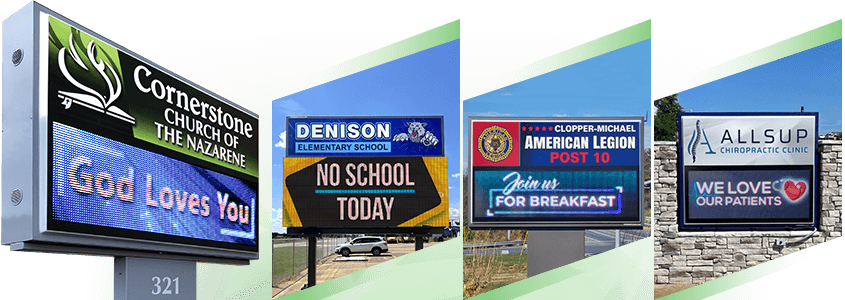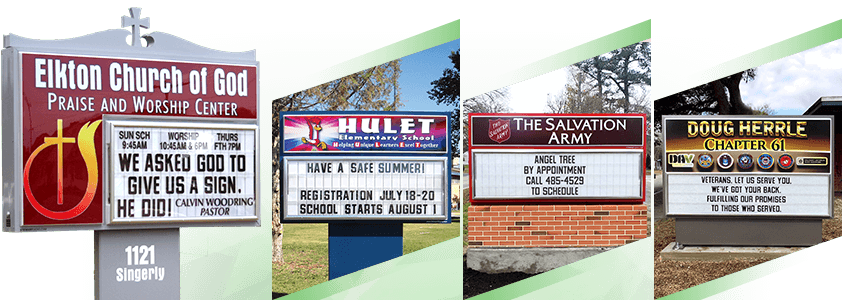
School administrators face a growing challenge: how to communicate important information to students, staff, parents, and visitors during emergencies when every second counts. Traditional communication methods can take time, while outdoor LED signs for schools provide a highly visible way to display important emergency-related information to people on or approaching campus.
This guide covers everything you need to know about using LED signage as part of a school's emergency communication strategy. From understanding how LED signs can be used during emergencies to building message governance policies and communication workflows, you will find practical guidance designed specifically for school facilities directors and operations leaders.
Key Takeaways: School LED Emergency Communication in 2026
- Outdoor LED signs provide high-visibility emergency-related messages for people on or near campus and passing traffic.
- Cloud-based sign software allows authorized staff to update messages on the sign remotely from an internet-connected device.
- The Quick Message feature allows authorized users to send a brief message directly to the LED sign when urgent information needs to be displayed.
- Pre-designed emergency message templates can help schools respond faster by eliminating the need to create messages from scratch during a crisis.
- All Stewart LED signs come with SignCommand software that supports quick message updates and scheduled content.
Why Schools Need Outdoor LED Signs for Emergency Communication
When an emergency occurs on campus, communicating important information quickly becomes a top priority. Static signs with changeable letters require manual updates that can take valuable time. Outdoor LED signs allow authorized staff to change displayed content quickly, providing a highly visible way to communicate important information to people who can see the sign.
LED displays are visible in a variety of lighting conditions, including bright daylight and darkness. This visibility means that parents arriving for pickup, bus drivers, delivery personnel, and community members passing by can see the same information displayed on the sign. The attention-grabbing nature of dynamic displays helps important messages stand out rather than being overlooked.
An outdoor LED sign should be viewed as one part of a school's broader emergency communication plan—not as a replacement for emergency notification systems such as text alerts, emails, phone systems, or other direct communication methods.
Types of Emergency Information Schools Can Display on LED Signs
Schools face various situations requiring timely communication with their communities. LED signs can display information for a wide range of emergencies and time-sensitive situations. Understanding these use cases helps facilities teams prepare appropriate messages in advance.
Weather-Related Emergency Information
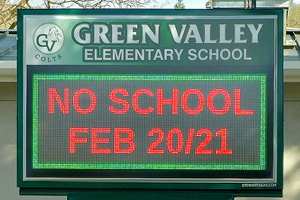
Severe weather events may require schools to communicate information about school closures, early dismissals, or shelter-in-place procedures. When tornadoes, flash floods, or winter storms affect your area, an outdoor school sign can display messages about current conditions and safety instructions.
For example, a school could display:
- “School Closed Today – Weather Emergency”
- “Early Dismissal 1PM – Severe Weather”
- “Please Remain Off Campus – Severe Weather”
The LED sign provides visible information to people approaching or passing the school, while schools can use email, text messaging, phone systems, and other channels to communicate directly with parents and staff.
Lockdown and Security Information
During lockdown situations, schools may need to communicate with people approaching the building. LED signs can display messages directing visitors away from entrances, informing parents about pickup procedures, or providing instructions determined by school administrators or local authorities.
These messages can help reduce confusion and unnecessary foot traffic during security events.
Fire and Evacuation Information
Fire drills and actual evacuations may benefit from clear exterior communication. LED signs can direct traffic flow, indicate assembly points, and inform arriving parents about the situation.
When students evacuate to alternative locations, the outdoor sign can provide information to people approaching the school who may not otherwise know where to go.
Medical Emergencies and Campus Closures
Health and safety situations may require schools to communicate about temporary closures, modified schedules, or precautionary measures. An LED sign can display messages about air quality concerns, campus closures, schedule changes, or other information that affects daily operations.
How Cloud-Based LED Sign Software Supports Emergency Communication
The real advantage of modern LED sign systems comes from cloud-based software that enables remote sign management. This technology allows authorized personnel to update sign content from an internet-connected device.
During an emergency, this capability can make it possible to update the information displayed on the sign without needing to be physically at the sign.
Remote Message Updates from Any Location
Cloud-based sign software like SignCommand allows authorized school administrators to change sign messages from a computer, tablet, or smartphone.
For example, if an administrator is away from the school during an emergency, they can use an internet-connected device to send an updated message directly to the LED sign.
The message is sent to the sign itself. SignCommand does not send text messages, phone notifications, or other direct alerts to parents, staff, students, or community members.
Quick Message Features for Urgent Information
During emergencies, staff members may not have time to design elaborate graphics. SignCommand's Quick Message feature allows an authorized user to type a brief message and send it directly to the LED sign from a phone, tablet, or other internet-connected device.
This provides a simple way to quickly change what is displayed on the sign when urgent information needs to be communicated to people who can see the display.
For example, an authorized user could quickly send a message such as:
“CAMPUS CLOSED – PLEASE DO NOT ENTER”
The Quick Message is displayed on the LED sign only. It does not send text messages or notifications to anyone's phone.
Scheduled Content and Automated Displays
Beyond emergency use, cloud-based software supports scheduling messages in advance. Schools can program daily schedules, upcoming events, and rotating content that is displayed automatically.
When an emergency or other urgent situation occurs, authorized staff can update the sign with a timely message and then return to normal programming once the situation resolves.
Creating Approved Message Templates
Prepare emergency message templates in advance so staff do not need to compose messages under pressure. These templates should cover common scenarios including:
- Weather-related closures and delays
- Lockdown and shelter-in-place information
- Early dismissal announcements
- Evacuation instructions
- General emergency contact information
Templates should be brief, clear, and free of ambiguous language. Test your templates by reading them at driving speed to ensure they communicate effectively to passing traffic.
Maintaining Content Standards
Establish guidelines about message length, font sizes, and display duration. Emergency-related messages should be short enough to read quickly but complete enough to convey essential information.
Developing a Communication Workflow for Your School
A workflow defines the step-by-step process for posting important information to the LED sign. Having a documented workflow ensures that everyone knows their role during an emergency and that messages can be displayed quickly without confusion or delays.
Step 1: Identify the Emergency and Decision Maker
When an emergency occurs, designate who has authority to update the outdoor sign. In most schools, this responsibility may fall to the principal, assistant principal, or designated safety coordinator.
Document these roles clearly so that staff members know who is authorized to update the sign when they become aware of an emergency.
Step 2: Select the Appropriate Message
Using your pre-approved templates, the authorized decision maker selects or adapts the appropriate message for the situation.
If the emergency does not match an existing template, the decision maker creates a brief, clear message following your content standards.
Step 3: Post and Verify the Message
The decision maker or a designated assistant logs into the sign software and posts the message. With SignCommand's Quick Message feature, an authorized user can also send a brief message directly to the sign from an internet-connected phone or other device.
After posting, verify that the message appears correctly on the sign. If your sign is not visible from your office, designate someone to confirm the display or use any remote monitoring features your system may offer.
Step 4: Communicate Through Additional Channels
LED signs are just one part of a multi-channel communication strategy. Coordinate your outdoor sign messages with other notification systems, including email, text alerts, phone trees, and social media.
These channels serve different purposes: the LED sign provides visible information to people who can see the display, while direct notification systems can communicate with individuals who are not on or near campus.
Consistent messaging across all channels reduces confusion and reinforces critical information.
Step 5: Update and Remove When Appropriate
As situations evolve, update the sign with new information. Once the emergency ends, remove the message and return to normal sign content.
Leaving outdated emergency messages on display can undermine credibility and may cause unnecessary alarm.
Choosing LED Sign Features for Emergency Communication
When selecting an LED sign system for your school, certain features can support emergency communication more effectively than others. Consider these factors during your evaluation process.
Software Accessibility and Ease of Use
Emergency situations create stress that can make complicated software harder to operate. Choose a sign system with intuitive software that authorized staff can use confidently, even if they do not access it frequently. Cloud-based systems that work through standard web browsers can eliminate the need for specialized software installation.
Reliability and Communication Methods
Your sign needs to work when you need it most. Cellular communication options like Cell Connect offer reliable connectivity without depending on your school's network infrastructure. This independence means your sign can receive updates even if your building network experiences issues.
Durability and Protection
Outdoor LED signs must withstand weather conditions and potential vandalism. Look for signs with protective features like polycarbonate vandal covers that shield the display while maintaining visibility. Quality construction helps ensure your sign remains operational during the situations when you need it most.
Including LED Signs with Your Overall Emergency Plan
Outdoor LED signs should complement your existing emergency communication systems rather than replace them. Including the sign into your overall emergency plan maximizes the effectiveness of every communication channel.
Aligning with School Safety Protocols
Review your school's emergency response plan and identify where outdoor sign communication fits into each protocol. For lockdown procedures, determine at what point the sign message should change and who is responsible for that update.
For evacuations, decide what information the sign should display and for how long.
Coordinating with Local Emergency Services
Local police, fire departments, and emergency management agencies may provide information that your school needs to communicate on its sign during certain situations. Establish protocols for how and when external agencies can request message updates, and who at your school has authority to approve and post those messages.
Training Staff on Emergency Sign Procedures
Include LED sign operation in your regular emergency preparedness training. Ensure that multiple authorized staff members know how to access the software and post messages.
Practice posting messages during drills so that the process becomes familiar before a real emergency occurs.
Message Examples for Common School Emergencies
Effective emergency-related messages share common characteristics: they are brief, specific, and action-oriented. These examples demonstrate the type of messaging that works well on outdoor LED signs.
Weather Closure Messages
Keep weather messages direct and informative. Examples include:
- “School Closed Today – Weather Emergency”
- “Early Dismissal 1PM – Severe Weather”
- “Buses Running 2 Hours Late – Icy Roads”
Security Messages
Security messages should be clear without causing panic:
- “Campus Secure – Please Do Not Enter”
- “Building Cleared – Normal Operations Resume”
- “Pickup Location Changed – See Office”
General Emergency Messages
For situations that do not fit standard categories:
- “Emergency In Progress – Await Instructions”
- “Call Office for Information – Do Not Enter”
- “All Clear – Thank You for Your Patience”
Reviewing and Updating Emergency Content
Review your message templates annually and update them as procedures change. After any emergency where you used the sign, evaluate what worked well and what could improve. Use these insights to refine your workflows and templates.
In Conclusion: Preparing Your School for Effective Emergency Communication
For schools, an outdoor LED sign is more than a way to announce events and celebrate achievements. It can also provide a highly visible communication tool for displaying important emergency-related information to people on or approaching campus.
When combined with direct notification systems, clear governance policies, documented workflows, and regular training, LED signage can become a valuable component of your school's emergency communication strategy.
At Stewart Signs, we help schools design LED sign systems that fit their goals, budget, and campus environment. Ready to explore how an LED sign could strengthen your school's emergency communication strategy? Contact us today to discuss your needs with our team.
FAQs About School LED Emergency Communication
How quickly can emergency messages be posted to an LED sign?
With cloud-based software like SignCommand, authorized users can quickly update the message displayed on the sign. SignCommand's Quick Message feature allows an authorized user to type and send a brief message directly to the LED sign from an internet-connected phone or other device.
Does SignCommand send emergency text messages to parents or staff?
No. SignCommand's Quick Message feature sends the message directly to the LED sign. It does not send text messages, phone notifications, or other direct alerts to parents, staff, students, or community members.
Schools should continue using their existing emergency notification systems for direct communication with individuals.
Who should have access to post emergency messages on school LED signs?
School principals, assistant principals, and designated safety coordinators may be given authority to post emergency-related messages. SignCommand supports multiple user accounts, allowing schools to control who can update sign content.
Can LED signs work alongside other emergency notification systems?
Yes. LED signs can be used as one component of a multi-channel communication strategy. While the outdoor sign provides visible information to people on or near campus, schools can coordinate that message with email alerts, text notifications, phone systems, and other communication channels.
What happens if the school's internet goes down during an emergency?
Cellular communication options like Stewart Signs' Cell Connect feature can allow signs to receive updates independently of the school's network infrastructure. This can provide an alternative connection for sending content updates to the sign when the building network experiences issues.
How far away can people read emergency messages on an LED sign?
Readability distance depends on factors such as pixel pitch, sign size, viewing distance, and message design. Stewart Signs helps schools select appropriate resolutions for their viewing distance, helping ensure that messages can be read by passing traffic and pedestrians at typical school-zone speeds.
Should schools prepare emergency message templates in advance?
Yes. Preparing message templates for common emergency scenarios allows authorized staff to post messages quickly without composing them under pressure.
Stewart Signs recommends creating templates for weather closures, lockdowns, evacuations, and general emergency situations.